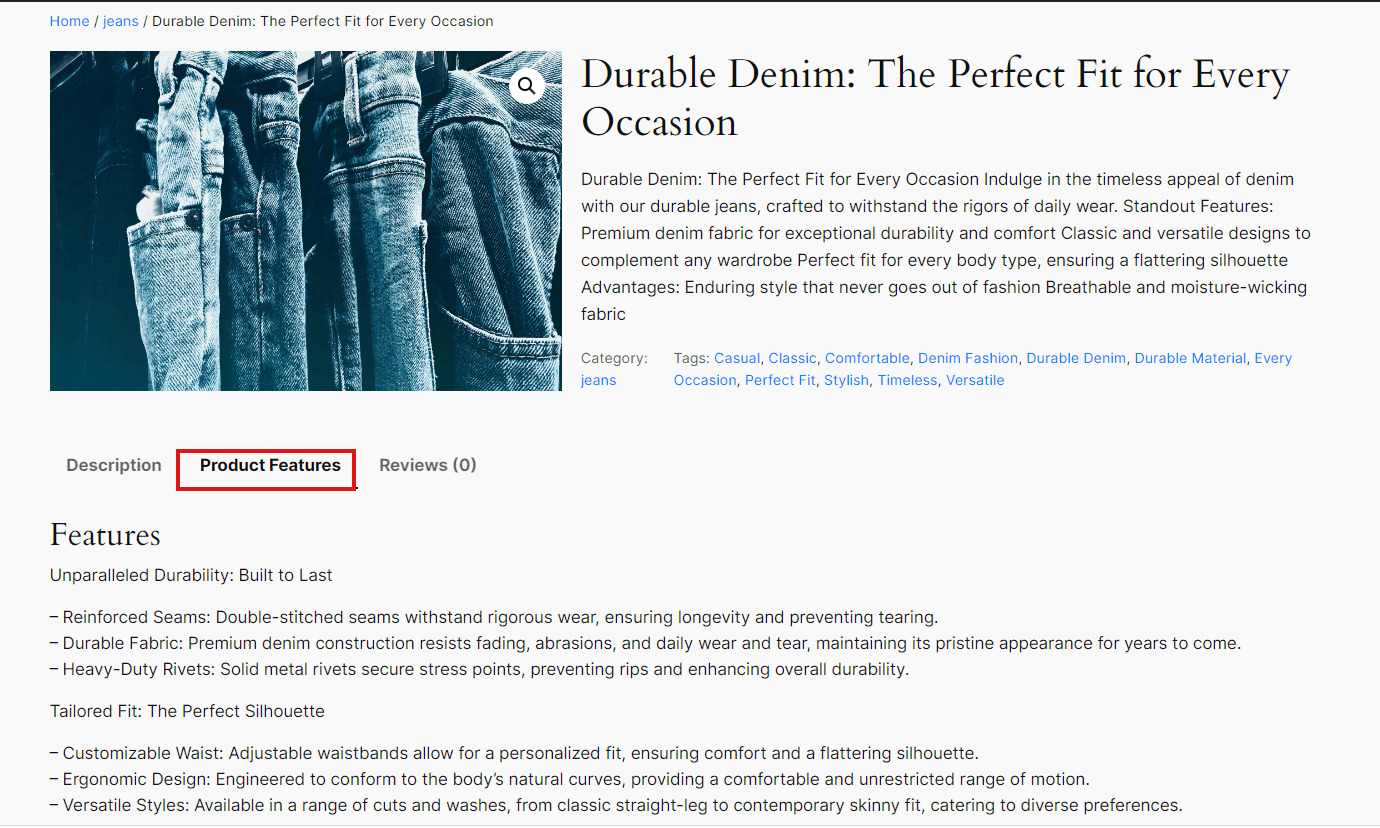
The Product Features Generation functionality in the Advance AI Add-On for WooCommerce allows you to automatically generate detailed features for your products, enhancing the richness and appeal of your product listings. To utilize this feature, follow these steps:
How to Enable Product Features Generation
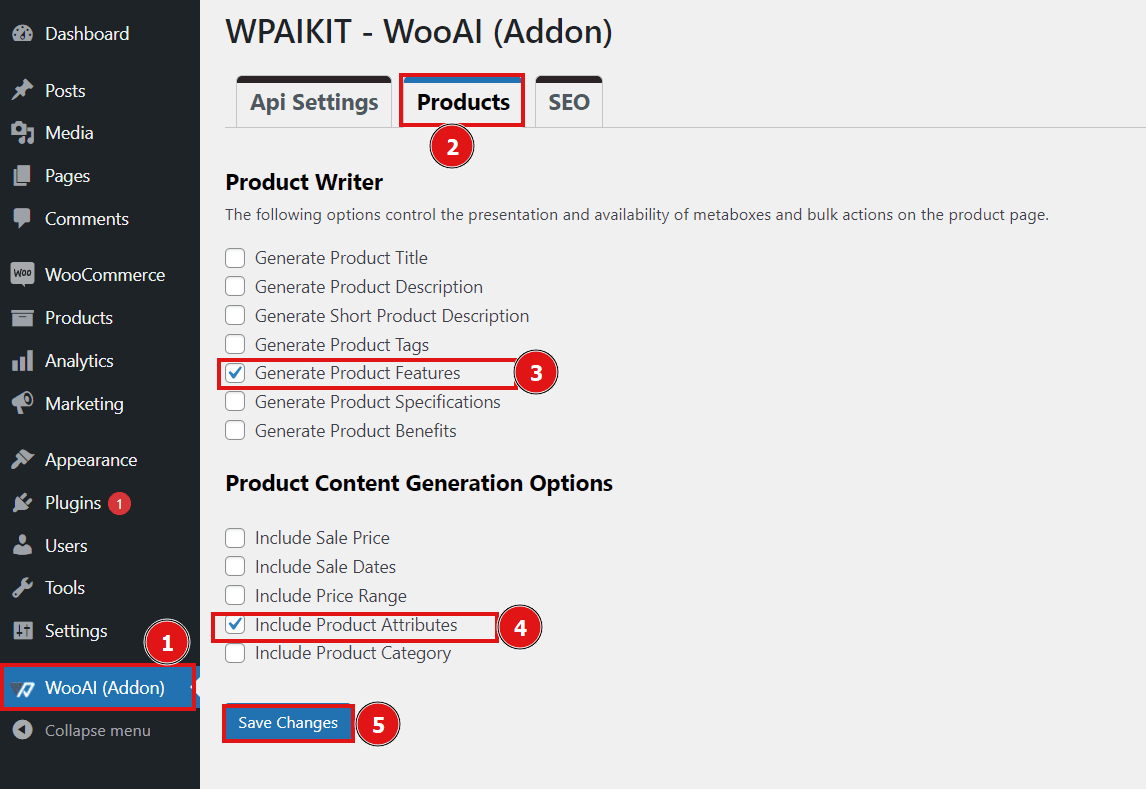
1. Activate the Feature Generation Option:
- Navigate to the Advance AI Add-On for WooCommerce settings page in your WordPress dashboard.
- Go to the Products tab.
- Enable the Generate Product Features option.
- Optionally, enable the Include Product Attribute functionality to add product attribute information to the features during generation.
- Click Save Changes to apply the settings.
After performing these steps, feature metabox and bulk options display in the product page.
2. Generate Product Features
- After enabling the functionality, go to the Products section of your WordPress dashboard.
- Click the Edit button on the product for which you want to generate features. This will open the edit product page.
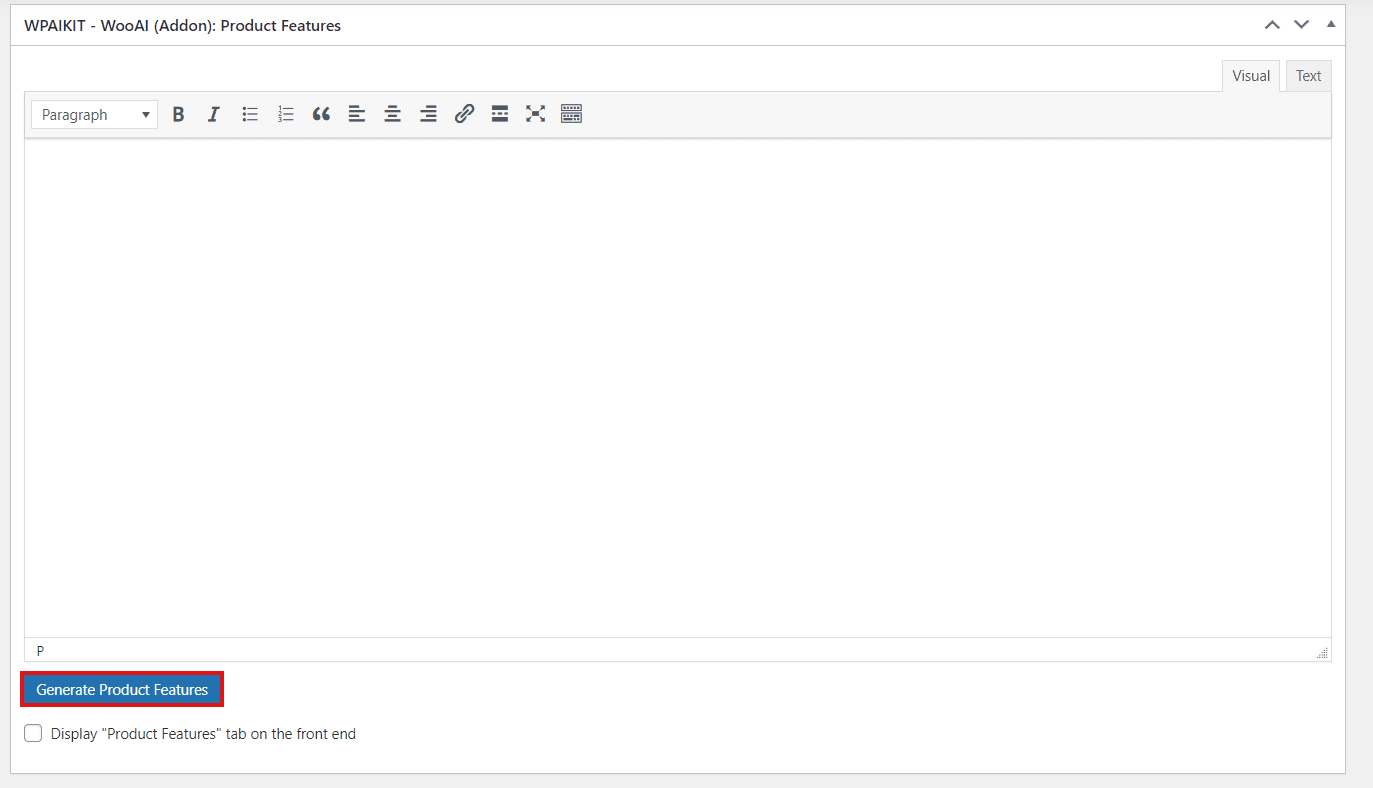
- Locate the WPAIKIT – Advance AI Add-On for WooCommerce: Product Features metabox.
Press the Generate Product Features button to generate detailed product features via AI.
3. Display Generated Features:
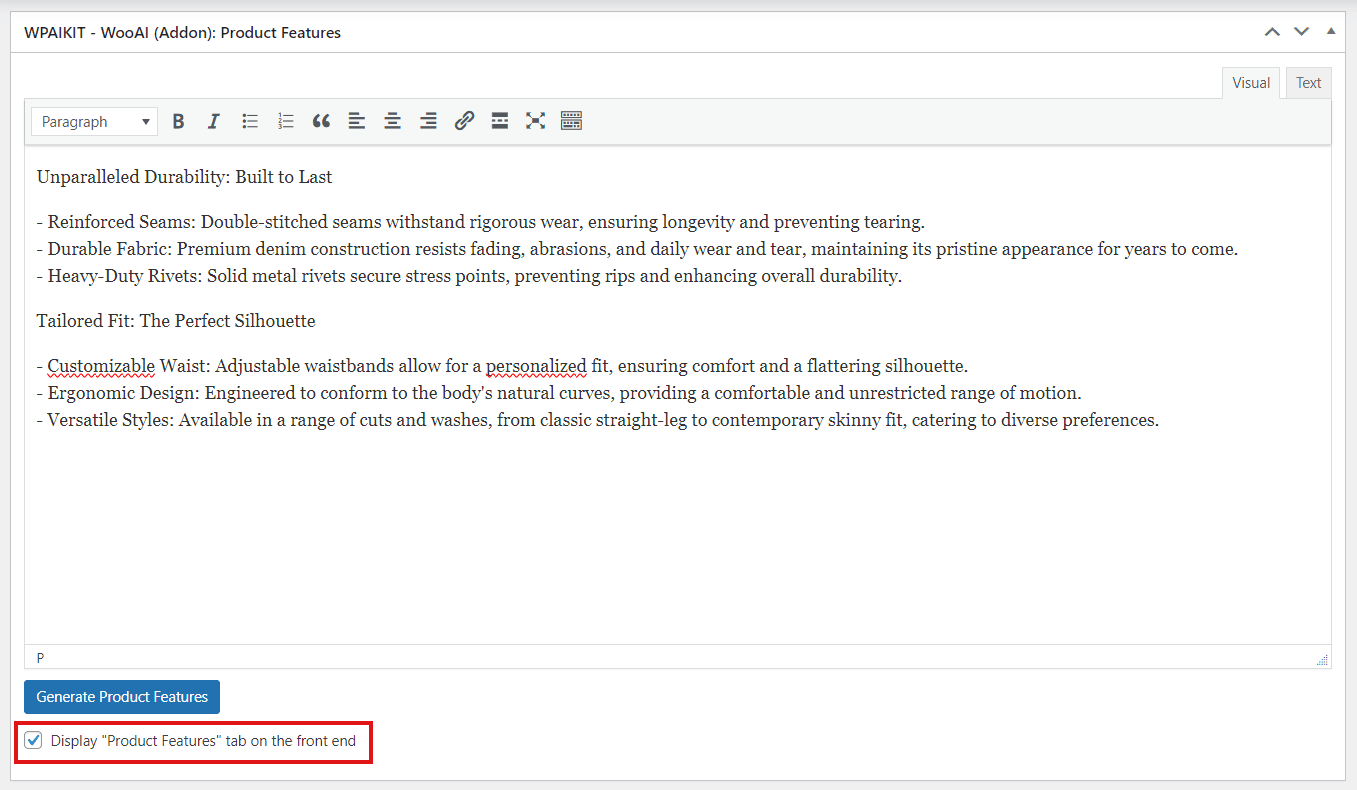
- To display the generated features on the frontend, enable the option located below the Generated Product Features button.
By enabling this option, a WooCommerce tab named Product Features will be created on the product page of your site, showcasing the generated features.
By following these steps, you can easily generate and present detailed product features that provide customers with a comprehensive overview of what your product offers, enhancing customer engagement and the overall appeal of your product listings.
Frontend – View: